
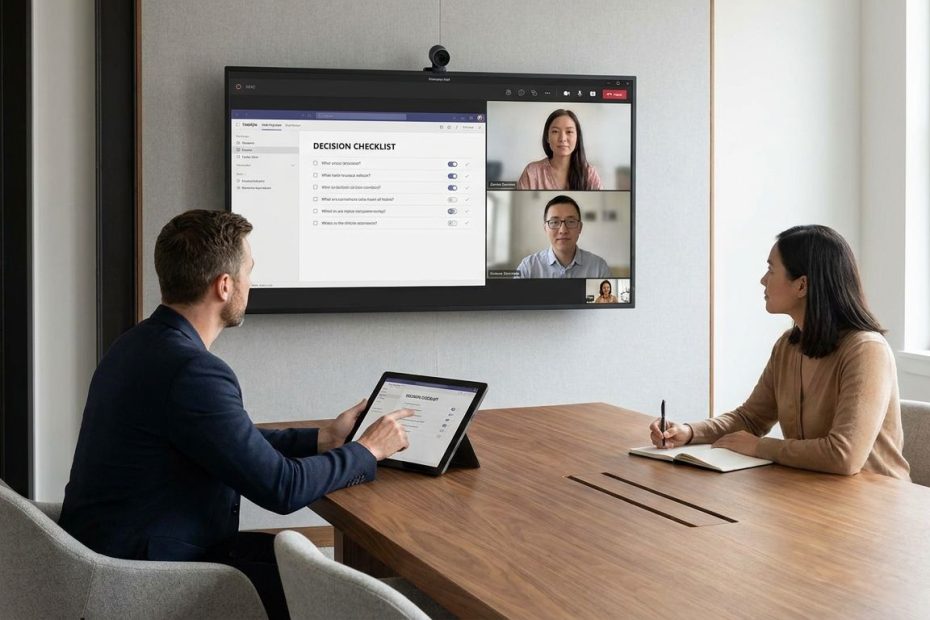
A hybrid meeting checklist helps you make faster, fairer decisions by preparing the decision before the call, giving remote voices equal access during discussion, and locking ownership before people leave.
If your hybrid meetings feel slow, uneven, or exhausting, the problem usually isn’t the people. It’s the meeting design. You need a repeatable way to reduce rework, prevent room dominance, and make sure the person joining from a laptop has the same practical access as the person sitting near the whiteboard.
This guide shows you how to build a hybrid meeting checklist around decision quality, speed, and fairness. You’ll see what to fix before the meeting, how to facilitate the live discussion, what technology matters most, and how to close with owners, dates, and a shared record.
Why Hybrid Meetings Break Fairness And Speed
Hybrid meetings fail fastest when the room becomes the real meeting and the video call becomes a viewing window. People in the office can read body language, make side comments, point at materials, and jump into gaps more easily. Remote participants often wait for a pause that never arrives. That delay doesn’t just feel unfair; it slows decisions because useful input arrives late or not at all.
The research brief points to a repeated pattern across hybrid teams. Owl Labs reports that 58% of hybrid workers feel isolated, and Microsoft reports that 43% of remote employees feel they don’t have a voice in hybrid meetings. Doodle also reports that 41% of professionals say hybrid meetings make it harder to reach decisions. Those numbers show a practical management problem: when access is uneven, decisions take longer and confidence drops.
Technology problems add another drag. Cisco reports that 72% of employees have missed important information in hybrid meetings due to poor audio or video quality. Atlassian reports that the average worker spends 31 hours per month in unproductive meetings, and hybrid meetings can add setup delays, repeated explanations, and unclear follow-up. A checklist cuts those delays by forcing the meeting to answer one question early: what decision needs to be made, and what input is required?
The Remote-First Mindset: Your North Star
Remote-first meeting design means you treat every participant as if they’re joining through the same digital doorway. The people in the room still benefit from being together, but the meeting’s main record, agenda, visuals, notes, and decisions live where everyone can see them. That one shift removes many small advantages that in-office participants usually get by default. It also makes decisions easier to audit later.
Remote-first doesn’t mean cold or overly formal. It means the facilitator protects shared access. If someone sketches on a physical whiteboard, the idea also goes onto the shared digital board. If people in the room start a side discussion, the facilitator pauses and brings the point back into the main channel. If chat fills with useful comments, those comments get named and handled instead of ignored.
This mindset also reduces meeting fatigue. Hybrid meetings feel draining when remote attendees must watch tiny visual cues, monitor chat, listen through uneven audio, and fight for a speaking turn at the same time. A remote-first design removes some of that mental load by making the rules visible. You know where to contribute, when to speak, and how the decision will be made.
Pre-Meeting Checklist: Set The Table For Inclusive Decisions
Start before the calendar invite goes out. A useful agenda states the decision, the decision owner, the required input, and the meeting outcome. “Discuss vendor options” is weak. “Choose one vendor for the pilot, using cost, implementation effort, and team fit as decision criteria” gives people something to prepare for.
Send pre-reads early enough for people to review them without rushing. If the decision needs careful thought, collect asynchronous input before the meeting through a document, poll, form, or shared board. This helps people who need processing time and reduces the pressure to produce the best answer live. It also prevents the loudest voice from setting the direction before others have contributed.
Assign three roles before the meeting starts: facilitator, tech host, and note-taker. The facilitator manages turn-taking and decision flow. The tech host handles audio, video, screen sharing, room links, and chat visibility. The note-taker captures decisions, open questions, owners, and dates in one shared place.
In-Meeting Facilitation Tactics For Speed
Open the meeting by naming the decision and the decision rule. Tell people whether the owner will decide after input, the group will vote, or consensus is required. This keeps discussion from drifting into general commentary. It also helps participants understand when enough input has been gathered.
Use structured turn-taking when the decision matters. A name-based round gives every person a clear invitation to speak. A chat queue lets remote participants signal input without interrupting. The facilitator should alternate between room voices and remote voices rather than letting the room stack comments back-to-back.
Use a two-minute silent writedown before closing discussion. Ask everyone to write their final recommendation, risk, or question in the shared space. This simple pause improves fairness because it gives remote and quieter participants a defined entry point. It also speeds the close because the facilitator can compare written input instead of reopening a loose conversation.
Technology That Amplifies Every Voice Without Breaking The Budget
The best hybrid meeting room setup starts with audio. If remote participants can’t hear side comments, laughter, objections, or quick clarifications, they’re missing the real meeting. Prioritize microphones that capture the whole room and speakers that let remote voices be heard naturally. Poor sound causes more decision loss than a less polished camera angle.
After audio, improve visibility. Room cameras with auto-framing help remote participants see who is speaking. Shared screens should be readable, and any physical whiteboard content should be moved into a digital whiteboard. Frost & Sullivan’s meeting room devices research notes that only a minority of rooms are fully equipped for equitable hybrid participation, so many teams need practical upgrades rather than luxury builds.
Artificial Intelligence(AI) note-takers can help when used carefully. They can produce fast draft minutes, capture action items, and reduce the burden on the human note-taker. Still, the meeting owner should review the record before it becomes official. The goal is not to outsource judgment; it’s to speed capture and reduce missed details.
Post-Meeting Closure: Lock In Decisions And Ownership
A fair hybrid meeting can still fail after it ends if the decision record is vague. Close with the decision stated aloud and written in the shared notes. Name the owner, due date, dependencies, and follow-up channel. If a decision is deferred, record what information is missing and who will supply it.
Use one source of truth. Don’t let action items scatter across chat, email, a project tool, and someone’s private notes. Choose the shared document, project board, or task system before the meeting. Then put every decision and action there during the call, not later when memory starts to blur.
Add a short asynchronous feedback window only when it improves the decision. This works well when the topic is complex or when some participants could not attend. Set a clear cutoff, name what kind of feedback is still open, and state what is no longer open for debate. Without those limits, feedback windows become decision delays.
The Complete Hybrid Meeting Checklist
Use this hybrid meeting checklist as a practical operating tool, not a script. The goal is to remove avoidable friction so the group can focus on judgment. Keep it short enough to use under pressure. If a meeting is low-stakes, use the light version; if the decision affects budget, staffing, customers, or deadlines, use the full version.
Before The Meeting
- Define the decision in one sentence.
- Name the decision owner.
- List the required inputs and decision criteria.
- Send pre-reads before the meeting.
- Collect asynchronous input when live discussion is not enough.
- Assign a facilitator, tech host, and note-taker.
- Confirm the meeting link, room equipment, audio, camera, and shared workspace.
During The Meeting
- Restate the decision and decision rule at the start.
- Use a shared agenda and shared notes.
- Keep all brainstorming on a digital board.
- Use a speaking queue or name-based round.
- Alternate between remote and in-room voices.
- Stop side conversations and bring them into the main discussion.
- Use a two-minute silent writedown before the decision closes.
After The Meeting
- Publish the decision in one shared location.
- Assign every action item to one owner.
- Add due dates and dependencies.
- Record unresolved questions separately from agreed decisions.
- Set a short feedback window only when needed.
- Send the notes soon after the meeting.
- Review repeat issues, including audio gaps, unclear ownership, or remote participation drops.
Common Hybrid Meeting Mistakes To Remove
The most common mistake is letting the conference room set the pace. When the people in the room talk faster, interrupt more easily, and point to materials that remote people can’t see, the meeting becomes uneven. The fix is simple and firm: if it isn’t visible or audible to everyone, it isn’t part of the decision. That rule protects speed and fairness at the same time.
Another common mistake is using the agenda as a topic list rather than a decision tool. Topics invite wandering. Decisions create focus. A decision-focused agenda tells people what must be resolved, what evidence matters, and who owns the call.
A third mistake is treating chat as secondary. Remote participants often use chat to raise points without cutting someone off. The facilitator should review chat at planned moments, name useful comments, and pull unresolved points into the notes. If chat is ignored, remote participants learn that their safest contribution channel doesn’t count.
How To Adapt The Checklist For Different Meeting Types
Not every hybrid meeting needs the same level of structure. A status update can use a shorter checklist: shared agenda, clear owners, quick blockers, and written actions. A strategy decision needs more preparation, including pre-reads, decision criteria, structured input, and documented tradeoffs. Match the checklist to the risk of the decision.
For brainstorming, use a shared digital board from the start. Ask everyone to add ideas silently before discussion begins. This reduces anchoring around the first speaker and gives remote participants the same creative surface as the room. After the silent input period, group ideas, discuss patterns, and move toward decision criteria.
For leadership meetings, protect the same rules. Seniority can make hybrid imbalance worse because people hesitate to interrupt leaders in the room. The facilitator should still manage the queue, call on remote participants, and capture dissenting points. Fair process matters most when the decision carries weight.
What Are The Key Steps For A Fair Hybrid Meeting?
- Send a decision-focused agenda
- Assign a remote-first facilitator
- Use a shared digital board
- Give every attendee a speaking path
- Close with owners and deadlines
Make Hybrid Decisions Faster Without Leaving People Behind
A better hybrid meeting doesn’t need more rules for the sake of rules. It needs a short, repeatable pattern that protects access, cuts re-explaining, and turns discussion into decisions. Use the hybrid meeting checklist to prepare the decision, manage the room, include remote voices, and record ownership before people leave. The strongest signal that your process is working is simple: fewer follow-up meetings, fewer missed comments, and fewer people wondering what was decided. When everyone can see, hear, contribute, and leave with the same record, hybrid work becomes easier to manage.
References
- Owl Labs State Of Hybrid Work 2024
- Microsoft Work Trend Index 2023
- Doodle State Of Meetings 2023
- Cisco Hybrid Work Resources
- Gallup Hybrid Work Indicators 2024
- Atlassian Team Productivity Research
- Frost & Sullivan Global Meeting Room Devices Market
- Slack Workforce Lab
- Harvard Business Review: How To Make Hybrid Meetings More Inclusive
- MIT Sloan Management Review: Making Hybrid Meetings Work.

Maurizio Chiriva Internati (DBSc, PhDs) is a cancer immunologist and biotech entrepreneur with 20+ years in immuno-oncology. Co-founder and former CEO of Kiromic BioPharma (NASDAQ: KRBP), he has led AI-driven target discovery and translational programs, and has served on faculty at MD Anderson and Texas Tech.